For Windows 10 & 11 · free trial

Your notch,
with a brain.

Notchy lives at the top of your screen. Talk to it and it gets things done on your PC, shows you where things are, plays your music with lyrics, and keeps everything you need one hover away.

Free trial · no card needed · updates itself
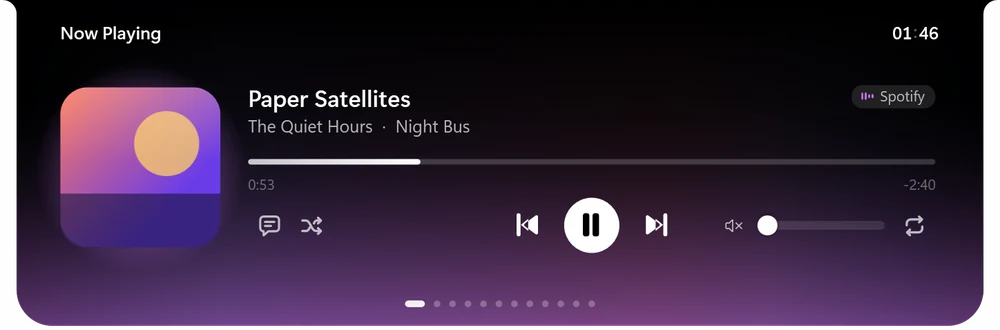
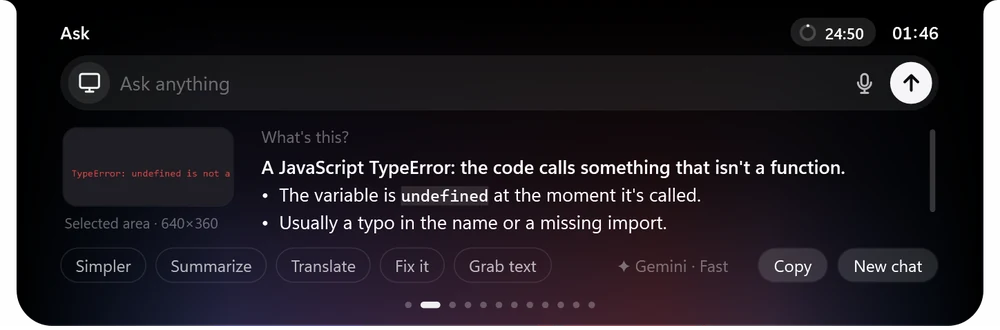
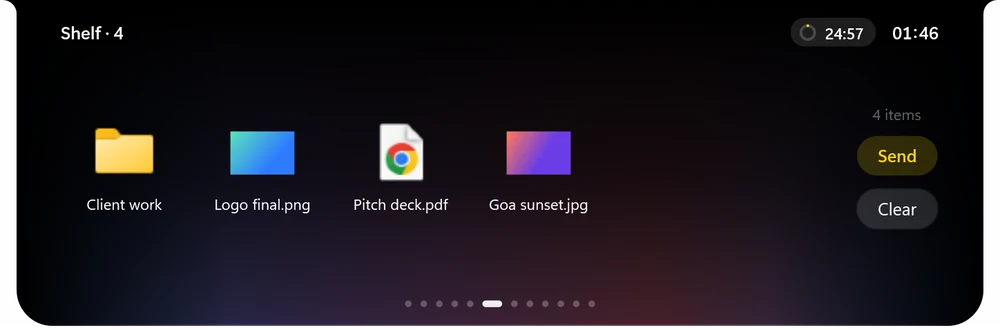
Notchy closed, playing music Now playing with album art Notchy talking with a glow Ask: an error explained The shelf with files
Music in the closed notch
Just talk

Say “Hey Notchy”.
It does the rest.

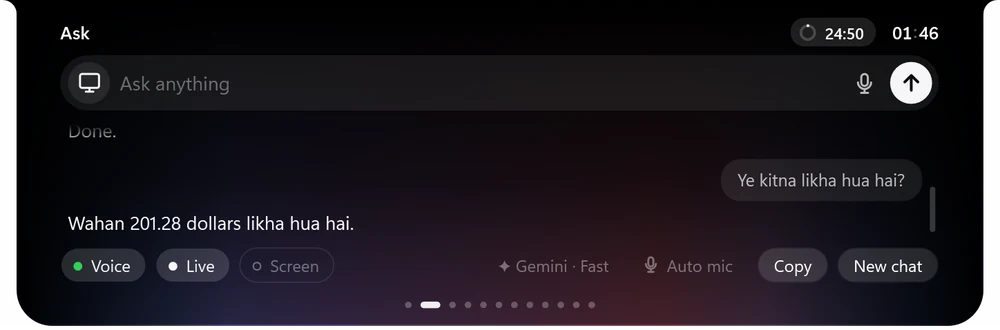
Live voice that hears you from across the room, answers out loud in under a second, and works your PC for you: apps, music, files, settings, the web. English, Hindi, Hinglish and 30+ more languages.

YouTube pe lo-fi chala doVolume thoda kam karo Send this PDF to my phoneRemind me at 6 to call mom What's on my screen?Make a picture of a sunset city
Notchy listening A live conversation with Notchy
FileEditViewExportHelp
Save
1
1. ExportOpen the Export menu
2
2. SaveThen press Save
Show me

It doesn't just tell you.
It shows you.

Ask “where is the export button?” or “how do I turn on dark mode here?” and Notchy draws on your screen: highlights, numbered steps and a note on each. Like a friend pointing over your shoulder.

Everything, one hover away

A whole toolkit in your notch.

Hover the top of your screen and it opens. Every page is made to be useful in a second.

🎵

Music & lyrics

Now playing from any app, synced lyrics, album-colour glow, controls in the closed notch.

✦

Ask anything

Type or talk. Circle anything on screen, explain errors, summarise pages, translate.

🖱

Controls your PC

Opens apps and sites, clicks, types, scrolls and works inside apps. Risky steps always ask first.

📂

Shelf & phone transfer

Drop files to keep them handy. Send to any phone with a QR code, or get files from it, on any network.

📋

Clipboard

Your last copies, one click away. Drag text anywhere or send it to your phone. Passwords never kept.

✅

To-do & reminders

Tasks with times, a calendar, and reminders that pop out of the notch.

🎨

Pictures & PDFs

Make pictures from a sentence, turn photos into a PDF, or a PDF into pictures.

🎮

Game stats

FPS, CPU, GPU and memory in a corner while you play.

💬

WhatsApp in the notch

Optional: new messages pop out of the notch; chats open in a panel below it.

📷

Mirror & “what is this?”

A webcam mirror in the notch. Hold something up and Notchy tells you what it is.

🎙

Dictation

Hold a key, talk, let go: typed wherever your cursor is, cleaned up and punctuated.

💧

Focus & water

A focus timer and water reminders that are actually fun (miss two and see what happens).

A little friend

It has a face. And opinions.

A tiny companion lives in your notch. It waves when you hover, dances to your music, watches you type, dozes when you're away, and has something to say now and then. Pick its fur, face and attitude.

Cool petRobot pet with musicChill pet Cyclops pet with a sproutNinja pet
Light by design

Always there. Never in the way.

Built to run all day on any PC, without slowing anything down.

~1%CPU when idle
~80 MBmemory in use
0clicks to update: it updates itself
30+languages it talks in

Hides itself in full-screen games and films. Nothing is recorded; the camera and screen are only used when you ask. Your AI key is stored encrypted, never on the PC.

Pricing

Try everything free.

Every feature in the trial. Keep it with Pro. Pay with UPI, cards or netbanking.

Free trial

₹0
for your first days
  • Everything in Notchy
  • Voice, Show me, Ask
  • Music, shelf, to-dos and more
  • No card needed
Download and start
Everything included

Notchy Pro

₹499/month
cancel anytime
  • Everything in Notchy, always
  • Live voice with “Hey Notchy”
  • Pictures, PDFs, game stats, WhatsApp
  • New features every update
Get Notchy

You use your own free Google AI key for the assistant. Notchy shows you how in a minute.

Questions

Good to know.

Does my PC need a notch?

No. Notchy draws its own notch at the top of any screen, and you can move it to a corner or another monitor.

What is the “AI key” and is it free?

Notchy's assistant runs on Google's Gemini. Google gives everyone a free key; Notchy walks you through getting it in about a minute and stores it encrypted on Notchy's server, never on your PC.

Is it always listening to me?

Only if you want it to. The microphone switch is one click (or one shortcut) away, “chup ho ja” turns it off, and nothing is ever recorded or kept. The screen and camera are only looked at when you ask.

Will it slow down my PC or games?

No. It uses about 1% CPU when idle, hides itself in full-screen games and films, and can show your FPS while you play.

Which languages does it understand?

English, Hindi and Hinglish out of the box, and 30+ more languages including Tamil, Bengali, Telugu, Marathi, Spanish, Arabic and Japanese.

How do updates work?

Automatically. Notchy downloads new versions in the background and installs them when you step away, then tells you what changed.

How do I cancel?

Any time, from Settings → Account & plan. You keep Pro until the end of the period you paid for.

Give your screen a brain.

Download Notchy and say hello. It takes a minute.

Download for Windows